Version: v1.0
Introduction
This chapter provides an overview of the system and outlines its main components and functionalities. It explains how responsibilities are distributed among different user roles, highlights key safety and access considerations, and describes the various views available within the user interface. Understanding these fundamentals will help users navigate and interact with the system effectively.
Info
-
Document:in our system, when we talk about documents, we are talking about Invoices, Credit notes, Delivery notes, Order forms, Order confirmations, in other words, we talk about all financial documents that are generally interchanged in companies. -
Validation:entity in our system that represents one incoming out outgoing document that as been registered in our system. -
Templates:A template, in our system, is all the entities that are used as a reference to extract data from further incoming/outgoing documents. -
"Envelope Data":All fields that form the header and footer of the document (general information of the document). -
"Line items":Document's positioned items, in other words, all data that will be used for Peppol data extraction.
Purpose and Functionality
Welcome to the Extractional User Manual. In this guide, you'll find comprehensive information about how to use our software system effectively. Before diving in, we'll provide a brief overview of its purpose and explain how it can help your company streamline operations and save valuable time.
Extracting and automating purchasing documents data
The main goal of our system is to extract data from all incoming and outgoing purchasing and billing documents within a company. Once extracted, the data will be processed, allowing one to automate processes and also automatically export it into other systems, streamlining operations and reducing manual workload.
PDF files extraction
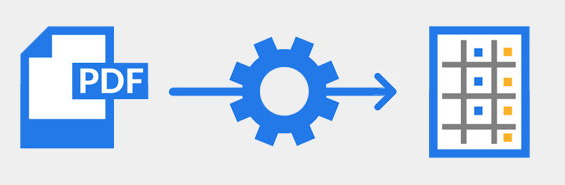
Our software will extract data from all pdf formatted files. This allows our users to not need to change all their billing habits and maintains the usage of one of the most used format for these type of documents.
Direct email account connection

This software will automatically insert all incoming billing documents in the system by directly connecting to a e-mail address. This is done via a IMAP connection, witch is available for most of email domains.
Usage of numerical data
One main advantage of using our system is the complete usage of numerical data. This will easy your company easy of organisation and improve some daily tasks of your employees.
Ease of document control
One of the primary objectives we achieved with our software was to make it easy to organize all incoming and outgoing documents without consuming unnecessary employee time.
As you may know, the volume of documents most companies receive and handle can be overwhelming. Tracking the status of each document, along with the associated transactions, can be challenging to manage effectively.
Our system makes document organization straightforward while also keeping track of their status. It allows automatic assignment of documents to team members and uses flags or markers to indicate their state. Additionally, it organizes all transactions associated with each document.
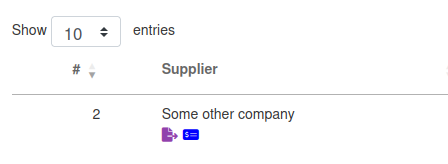
Example of an existing file in our system with two flags assigned to it
Improving file searching

Since our system relies on a numerical file storage system and features quick file searching algorithms and filtering algorithm , it will improve your company's productivity by not needing to look for a specific document like the old days.
Reducing paper usage in your company

Automating document handling with our system significantly reduces paper usage. Since there is no longer a need to print documents for organizational purposes, as is common in many companies, this system allows your business to operate in an almost paperless environment.
User Management
One of the key features of our system is the ability to define different user roles and automate work distribution.
User Roles
Our system provides several predefined user roles and also allows you to create new ones. Each role comes with specific permissions, which in turn determine the user's view and capabilities within the system.\
Permissions
Permissions in the system mainly control the type of access each team member has to your document database, as well as what they can create, modify, or delete in the system.
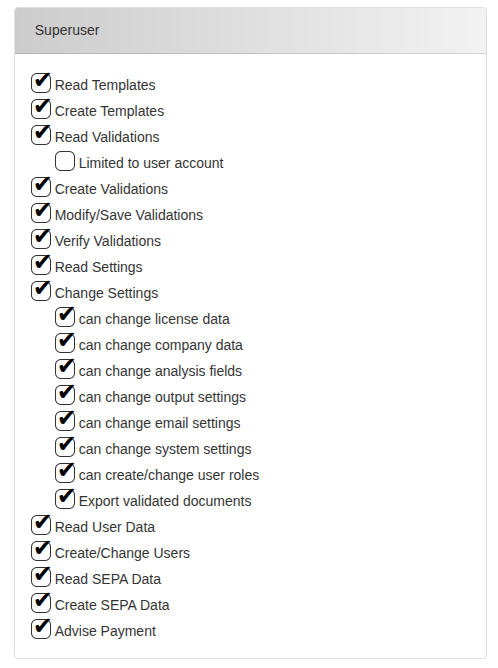
Picture showing all the different permissions available in our system
Each permission has been defined to endure that all important operations in the system can be controlled. These are the following permissions available in the system:
-
Read templates:The user is allowed to access all templates and view them. -
Create templates:The user is allowed to create new templates as well as deleting/modifying existing ones -
Read Validations:The user is allowed to read all validations (documents) that are available in the systemLimited to user account:This option can be chosen if you only want the user to be able to see all the validations that are assigned to his name.
-
Create validations:The user is allowed to create new validation instances in the system. However, these permissions do not allow us to make these new validations as accepted in the system, they will basically be always seen as unverified documents. -
Modify/Save Validations:The user has the rights to modify all the data extracted in a document and to save it on the system. -
Verify Validations:The user has the rights to verify the documents and release them into the system. -
Read Settings:The user is allowed to enter the settings page and see all the different preferences chosen. He will not be able to change any data. -
Change Settings:The user has the permission to change some(all) settings. All the different settings sub-pages that this user shall be able to use must be specifically defined in the indented boxes. -
Read User Data:The user is allowed to read all the system user data. -
Create/Change Users:The user is allowed to create a new user or modify existing ones. -
Read SEPA Data:The user is allowed to read all SEPA related data (for example bank credentials of documents payments) -
Create SEPA Data:The user is allowed to create SEPA related data, this allowing the automation of payment of documents. -
Advise Payment:The user is also allowed to identify documents as \"Paid\" in the system.
Why We Use User Roles
The decision to implement user roles is straightforward: having predefined user types makes it easy to define new categories of users with a specific set of rights.\ Additionally, if a particular category of user needs different permissions, you only need to update the settings for that role rather than changing permissions individually for each user.
Simplified people management
Our software enables you to monitor your team's workload, ensuring that tasks are distributed evenly. This helps you identify and address workload imbalances early, ensuring that your team works collaboratively and efficiently.
Seamless Integration of Purchasing and Accounting Departments

Extractional creates a new and transparent connection between the purchasing and accounting departments. With all the data automatically extracted into the system and analyzed by all the different individuals in the purchasing department, the accounting will have a clear understanding each transaction made in the company.
Exporting Data
Our system also allows the users to export all the different data within the system into different formats allowing to export all the purchasing data into other systems.\ The system allows you to export in the following formats:
-
XML format:common format allowing you to export all data into different accounting platforms such as Sage BOB50 -
JSON format:commonly used format containing all information of the extracted data. Can be used to interchange data between Extractional systems. -
CSV format:format allowing to view all the desired data in a system's spreadsheet (for example Excel). -
Peppol format:international format used for interchanging electronic documents with private entities as well as with the gouvernment. -
SEPA format:This specific XML format allows to automate SEPA payments allowing to easy elaborate payments within a company.
Safety and Access Control
A major focus of our system is ensuring the security of your documents and controlling all access within the platform.
Safety within the Database
To guarantee that your company's documents are always available and secure, we ensure that they remain strictly confined within the server system you use. All system documents are stored on your server installed in your company, ensuring that your data never leaves your network unless explicitly done by you.
Access Control
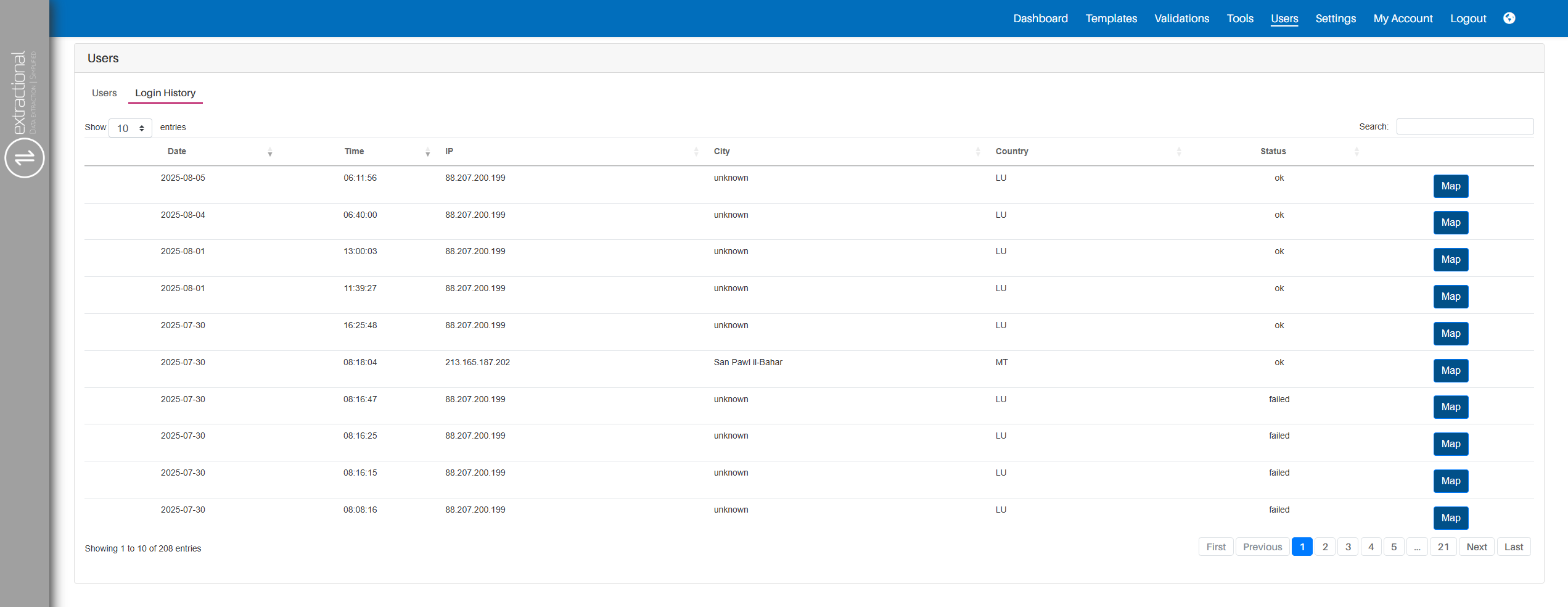
To strengthen access control, we have implemented several measures in the system.\ The first is the use of role-based access control, which has already been explained in detail in a previous section.\ The second is comprehensive login tracking. The system logs every login attempt along with the IP address of the person attempting to access the platform. This allows you to determine the origin of each access attempt. Additionally, the system records whether each login attempt was successful or not.